PhonePe UPI on Keypad Phones: Pay Without Internet
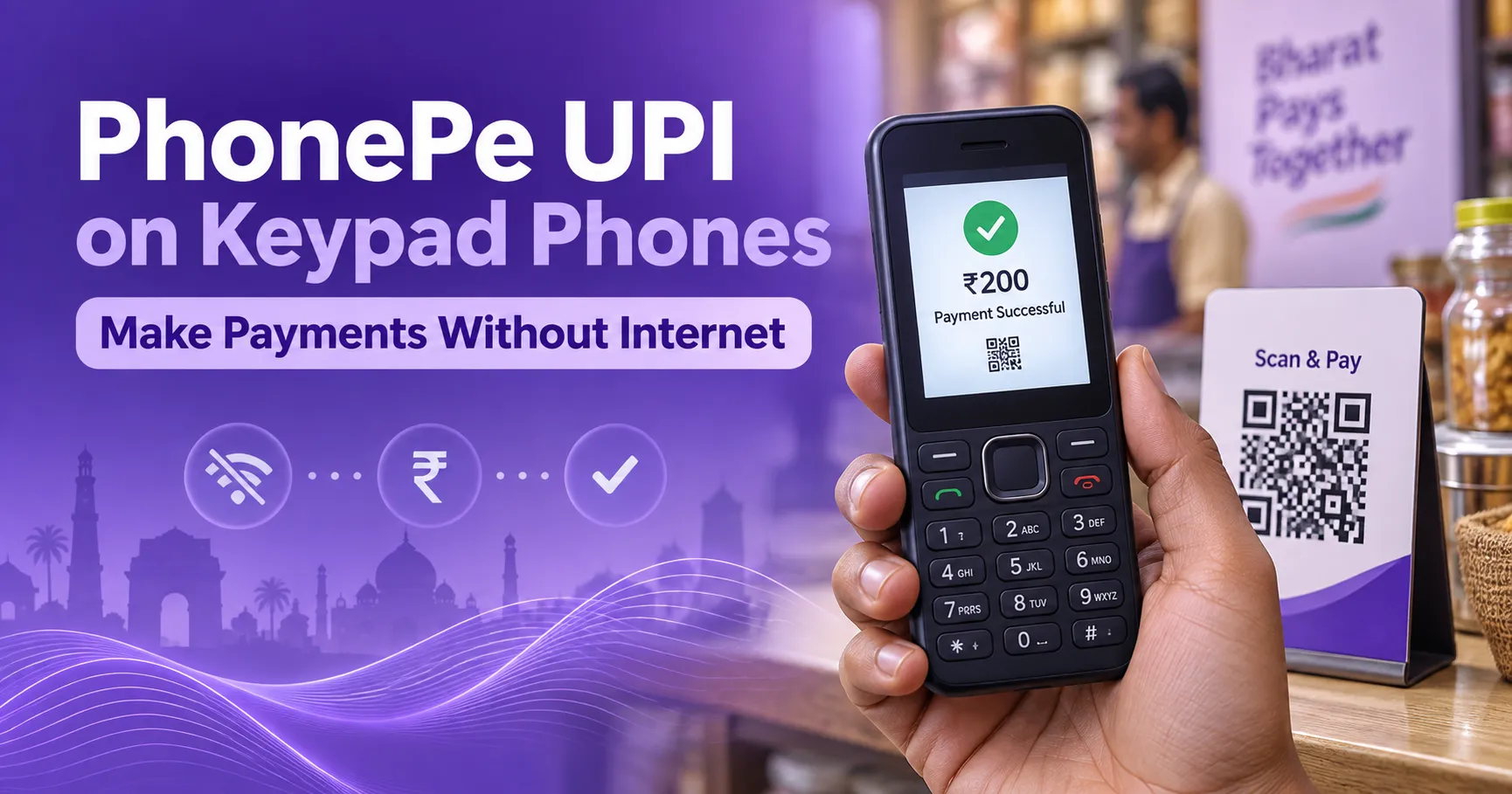
Who said a keypad phone cannot handle UPI payments? PhonePe has introduced a payment service that brings UPI directly to selected feature phones in India.
Users no longer need an Android smartphone or iPhone for every digital payment. They do not even need an active mobile internet connection.
PhonePe launched PhonePe UPI 123Pay on August 31, 2026. The service allows users of supported feature phones to send money and make merchant payments. It uses an SMS based system that can work in areas with limited 2G connectivity.
The service will come preinstalled on selected devices from Nokia, HMD, Lava and Itel. PhonePe says more handset partnerships will be announced in the coming months.
Users can pay through a mobile number or UPI ID. Supported camera phones can also scan UPI QR codes. Other useful options include checking a bank balance and viewing transaction history.
This is an important step for people who prefer simple phones. It can also help users living in places where smartphone access or reliable mobile internet remains limited.
Table of Contents
What Is PhonePe UPI 123Pay?
PhonePe UPI 123Pay is a UPI payment service designed for feature phones.
A feature phone is commonly known as a keypad phone. It usually has physical buttons and a small screen. It may provide calling, messaging, radio and a few basic applications. However, it does not offer the complete smartphone experience.
Normal UPI applications are mainly designed for Android phones and iPhones. They require a compatible operating system. They also usually need mobile data or WiFi.
PhonePe UPI 123Pay addresses this limitation. It gives selected feature phone users access to essential UPI services without requiring a smartphone.
According to the official PhonePe announcement, the company has created a dedicated technology system for UPI payments on feature phones. PhonePe describes it as an SMS based architecture that can operate where only limited 2G connectivity is available.
UPI 123Pay itself is not a completely new payment concept. It is an instant payment facility developed for feature phone users. The National Payments Corporation of India describes it as a safe way for feature phone users to access UPI payment services.
What is new is PhonePe bringing its own UPI 123Pay experience to supported keypad phones.
Can PhonePe UPI on Keypad Phones Work Without Internet?
Yes. PhonePe UPI on keypad phones can work without an active mobile internet connection.
This is the main benefit of the service.
The PhonePe system uses SMS based communication to process supported transactions. A user does not need to purchase a mobile data package. The phone also does not need WiFi.
However, no internet does not mean no mobile network.
The phone must still have the required cellular connectivity. The registered SIM must also be active. If there is no network signal at all, the phone may not be able to communicate with the payment system.
Therefore, this service is best described as an internet free payment option. It is not a payment method that works when the phone is completely disconnected from a mobile network.
This distinction is important for users in remote locations. Limited 2G coverage may be enough. A complete absence of cellular service may still prevent the transaction.
Which Keypad Phones Support PhonePe UPI?
PhonePe UPI 123Pay will be preinstalled on selected feature phones from the following companies:
- Nokia
- HMD
- Lava International
- Itel Mobile
This does not mean that every old keypad phone from these brands will receive PhonePe support.
The service requires compatible hardware and software. An unsupported phone cannot access it simply by inserting a registered SIM.
Reported compatible models include the HMD 105 2G and HMD 110 2G. The supported Nokia range includes Nokia 105 Classic, Nokia 105 Single SIM, Nokia 105 Dual SIM, Nokia 106 and Nokia 123 Shield.
Availability may depend on the exact model and market rollout. Buyers should check the product page, packaging or seller information before purchasing a phone for this feature.
People who already own a keypad phone should look for the PhonePe application in the phone menu. They can also contact the phone manufacturer or PhonePe support to confirm compatibility.
What Can You Do With PhonePe UPI 123Pay?
PhonePe UPI on keypad phones is not limited to a single payment option. It provides several important UPI functions.
Users can send money to another person through a registered mobile number. They can also transfer money using a valid UPI ID.
Merchant payments are supported through UPI IDs. Camera equipped feature phones can also offer a Scan and Pay option.
The service allows users to manage their linked accounts. They can check their bank balance and review previous transactions from the supported phone.
PhonePe has also announced future features. Planned updates include bill payments, mobile recharges and Aadhaar based UPI registration. These functions were announced as upcoming capabilities, so users should not assume that all of them are available from the first day.
This clear difference between current and upcoming features helps users understand what they can actually use at launch.
Can a Keypad Phone Scan a UPI QR Code?
Yes. A supported keypad phone can scan a UPI QR code if it has a compatible camera.
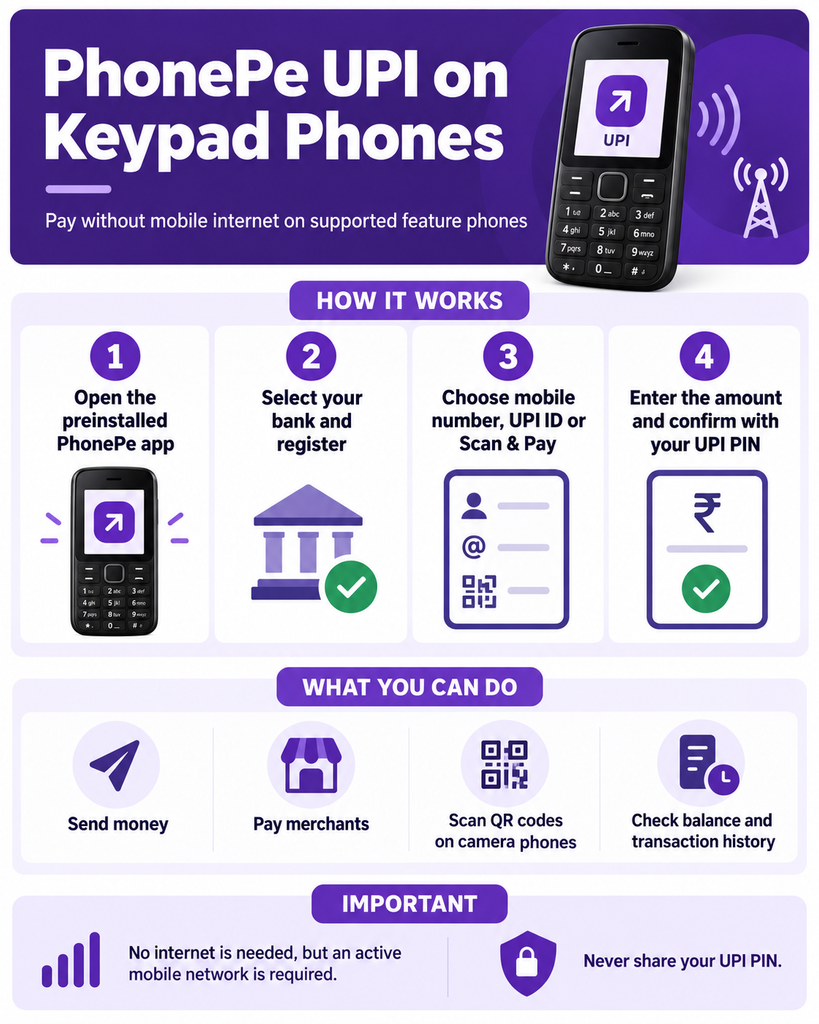
The user can open the PhonePe application and select Scan and Pay. The camera is then used to read the merchant QR code. The user reviews the recipient details, enters the amount and confirms the payment with a UPI PIN.
This experience may not feel as fast as QR scanning on a modern smartphone. A feature phone has a smaller display and simpler camera hardware. Navigation also happens through physical buttons.
Still, the purpose is not to compete with an expensive smartphone. The purpose is to make a basic QR payment possible on a simpler device.
Phones without cameras can still use other supported methods. A user may enter the receiver’s mobile number or UPI ID manually.
How to Set Up PhonePe UPI on a Keypad Phone
The setup process takes place directly on the supported feature phone. A separate smartphone is not required.
Follow these steps:
- Open the preinstalled PhonePe application.
- Read and accept the terms and conditions.
- Allow the phone to complete device registration.
- Select your bank from the available list.
- Enter the last six digits of your debit card.
- Enter the expiry date printed on the debit card.
- Create your UPI PIN.
- Wait for confirmation that your UPI ID is active.
The mobile number in the phone should be connected to the user’s bank account. The exact screens may differ between phone models.
Users should perform the setup themselves. Debit card information and UPI credentials should never be shared with a shopkeeper, agent or unknown caller.
How to Make a Payment
After registration, open the PhonePe application on the feature phone.
Choose the preferred payment method. Available options may include Scan and Pay, contacts, mobile number or UPI ID.
Enter the receiver’s mobile number or UPI ID carefully. If the phone supports QR scanning, scan the displayed merchant code.
Check the receiver’s name before continuing. Enter the payment amount. Type your UPI PIN and press the confirmation button.
Wait for the successful payment message. Do not repeat the transaction immediately if the response is delayed. First check the transaction history and your bank balance.
These verification steps can prevent accidental duplicate payments.
Who Will Benefit From This Service?
PhonePe UPI on keypad phones is mainly designed for people who do not use smartphones.
Some users choose feature phones because they cost less. Others prefer physical buttons and simple menus. Feature phones can also provide long battery life and fewer digital distractions.
The service may be valuable for elderly users who find touchscreen applications confusing. It can also help workers who carry a basic secondary phone.
People living in rural and semi urban areas may benefit as well. Internet quality can vary across such locations. An SMS based UPI option may remain useful where mobile data is slow or unreliable.
PhonePe says the launch can reach more than 200 million feature phone users in India. It is also the first major third party UPI application provider to introduce this type of feature phone service, according to the company’s announcement.
The update supports financial inclusion because users do not have to purchase a smartphone only to access basic digital payments.
Is PhonePe UPI 123Pay Safe?
PhonePe UPI 123Pay uses a UPI PIN to authorise payments.
The UPI PIN is the secret number connected to the user’s UPI account. It must not be shared with anyone.
A bank, PhonePe employee or genuine customer support representative will never need to know your UPI PIN. Anyone asking for it should be treated as suspicious.
Users should follow these safety rules:
- Never share your UPI PIN or debit card details.
- Check the receiver’s name before confirming a payment.
- Do not enter a UPI PIN to receive money.
- Avoid accepting payment instructions from unknown callers.
- Read confirmation messages carefully.
- Keep the phone protected with a device lock if available.
- Report an unauthorised payment immediately.
Scammers may claim that they can activate PhonePe on any old keypad phone. Remember that the service works only on supported models. Do not pay an unofficial agent for activation.
What Should You Do If the Phone Is Lost?
A feature phone with active UPI access should be treated like a banking device.
If the phone is lost, contact the mobile operator immediately. Ask the operator to block the SIM. You should also inform your bank and follow its instructions for protecting UPI access.
Contact PhonePe support through its official channel if further account protection is needed.
Do not wait for an unauthorised transaction to appear. Quick action can reduce the risk of misuse.
After receiving a replacement SIM or phone, confirm the correct registration process with the bank or PhonePe.
PhonePe’s Voice Based Help Service
PhonePe has introduced a voice first AI powered helpline for feature phone users.
The assistant provides guidance in English and 12 Indian languages. It is designed to explain activation and answer basic UPI questions.
This feature matters because some users may not feel comfortable reading small text or navigating unfamiliar menus. Voice instructions can make the registration process easier.
However, users should access help only through the official number or menu provided by PhonePe or the handset manufacturer. They should not trust numbers received through random messages or social media posts.
PhonePe UPI 123Pay vs Smartphone PhonePe
A smartphone still offers a more complete PhonePe experience.
It has a larger screen and faster navigation. QR scanning is easier. Users can also access a wider range of payments and financial services.
PhonePe UPI on keypad phones serves a different purpose. It provides essential UPI access to people who prefer or depend on feature phones.
A smartphone user does not need to switch devices for this service. However, a feature phone user may no longer need to purchase a smartphone only for basic UPI payments.
That is the real value of this launch.
Frequently Asked Questions
Can PhonePe work on a keypad phone?
Yes. PhonePe UPI 123Pay works on selected feature phones from Nokia, HMD, Lava and Itel. It will not work on every keypad phone.
Can I use PhonePe without mobile internet?
Yes. The feature phone service uses an SMS based system. It does not require mobile data or WiFi. Mobile network connectivity is still necessary.
Can a keypad phone scan a UPI QR code?
A supported keypad phone can scan a UPI QR code if it has a compatible camera and the Scan and Pay option.
Do I need a smartphone for registration?
No. Registration can be completed directly through the preinstalled PhonePe application on a supported feature phone.
What details are required during setup?
Users need to select their bank. They must enter the last six digits and expiry date of their debit card. They then create a UPI PIN.
Can I check my bank balance?
Yes. PhonePe says supported users can check their bank balance and view transaction history.
Is PhonePe UPI available on every Nokia keypad phone?
No. Only selected models are compatible. Always check the exact model before buying or attempting registration.
Is it safe to share my UPI PIN with customer support?
No. Never share your UPI PIN with customer support, bank employees, shopkeepers or any other person.
Also, check Coolpad Comeback in India: Can It Succeed in 2027?
Final Thoughts
PhonePe UPI on keypad phones makes digital payments more accessible in India.
Supported feature phones can send money using a mobile number or UPI ID. Compatible camera models can scan merchant QR codes. Users can also check account balances and view transaction history.
The service does not require mobile internet. It uses an SMS based system designed for limited 2G connectivity. However, an active mobile network and a supported device are still required.
This service will not replace the full PhonePe smartphone application. It is meant to close an important access gap.
For someone who wants an affordable phone, simple controls and basic digital payment support, PhonePe UPI 123Pay could be genuinely useful.